future-proofing the AWS Billing and Cost Management Console
50K Scaling
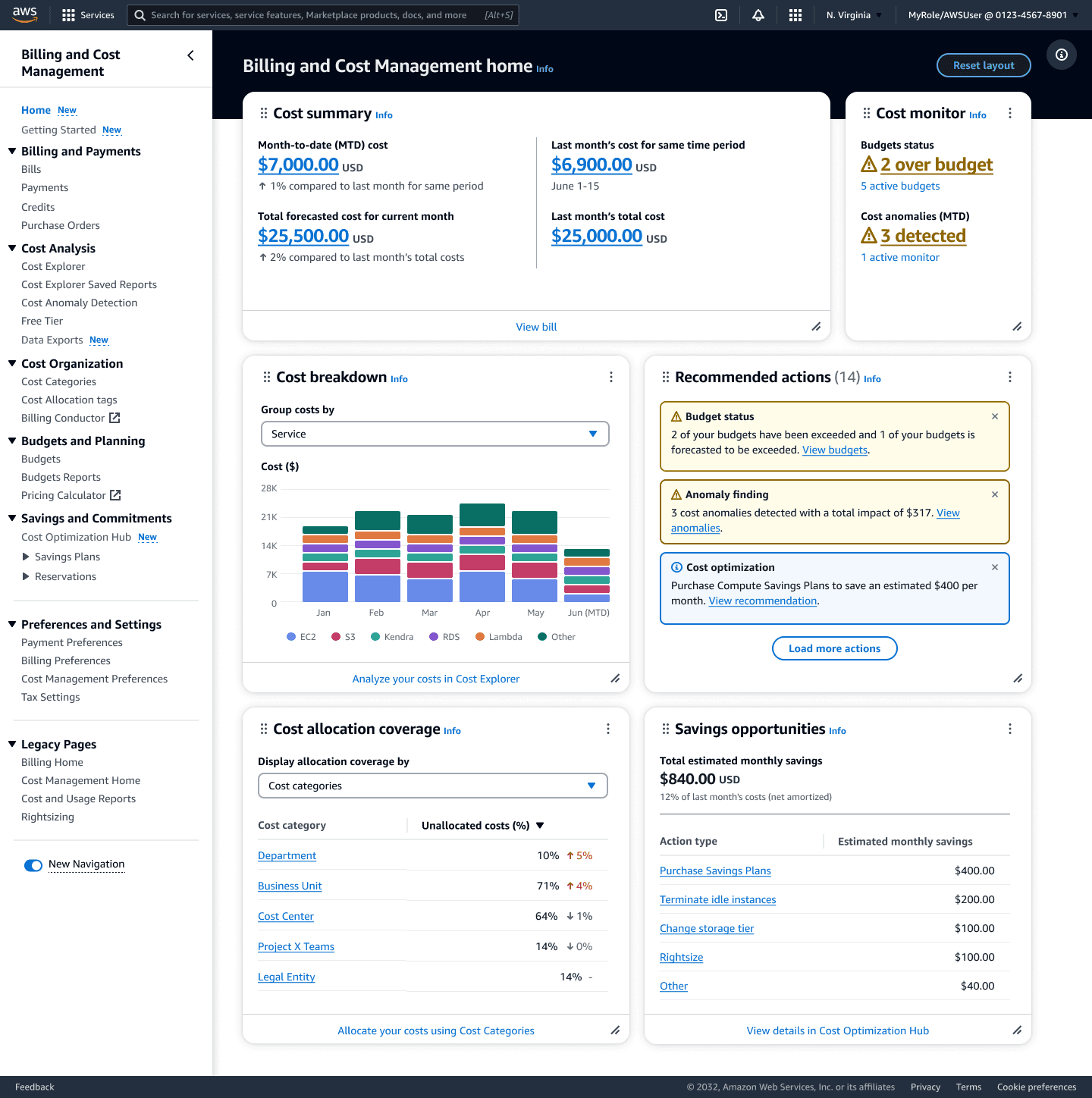

By the end of 2024, AWS will enable existing AWS customers to support up to 50K member accounts pending review from AWS Customer Support to expand Consolidated Billing Families (CBF). To identify UX challenges that may result from this 50K scaling, I conducted an audit of the Billing and Cost Management (BCM) console experience using a Stores Devices Others (SDO) production account with 43K linked accounts. I identified three themes of challenges: (1) Loading state latency; (2) A lack of meaningful error messaging; and (3) Inconsistent load time-outs across the BCM console. This project was a a deep dive into console limitations and presents findings and recommendations for leadership review and input.
I conducted this audit by testing the BCM console using the above-mentioned SDO account with 43K accounts and comparing the CX to test account with 400 linked accounts. I tested common interactions (e.g., drop-downs, tab switching, and breadcrumb navigation) 3 times on both the SDO account and the test account.
The following findings came out of trying to break the console with engineering partners and I grouped them into three themes which contain examples, the As-Is experience, and a recommended for when we fully support 50K scale.
Theme 1: Loading state latency
We organize these issues into two buckets: (1) Drop-down menu loading time; and (2) Visual feedback for tasks that result in a system output like downloading a CSV or preparing and outputting a print file.
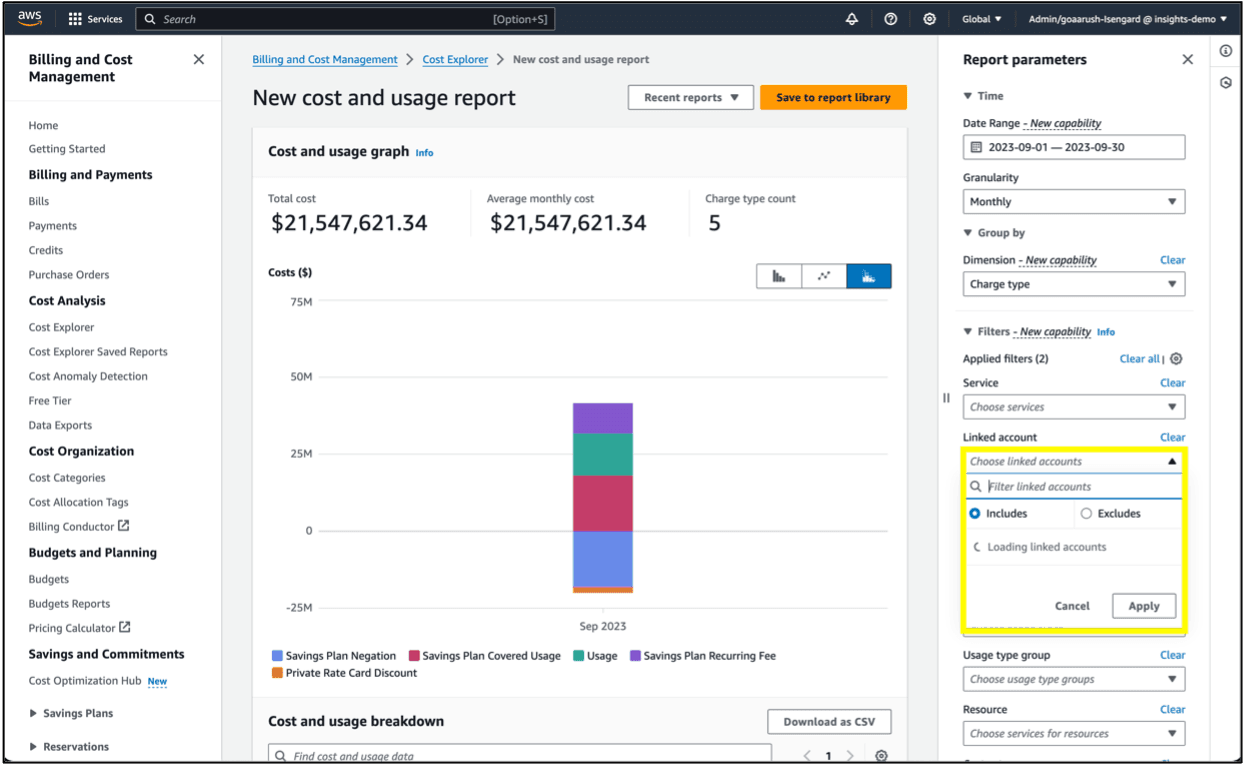
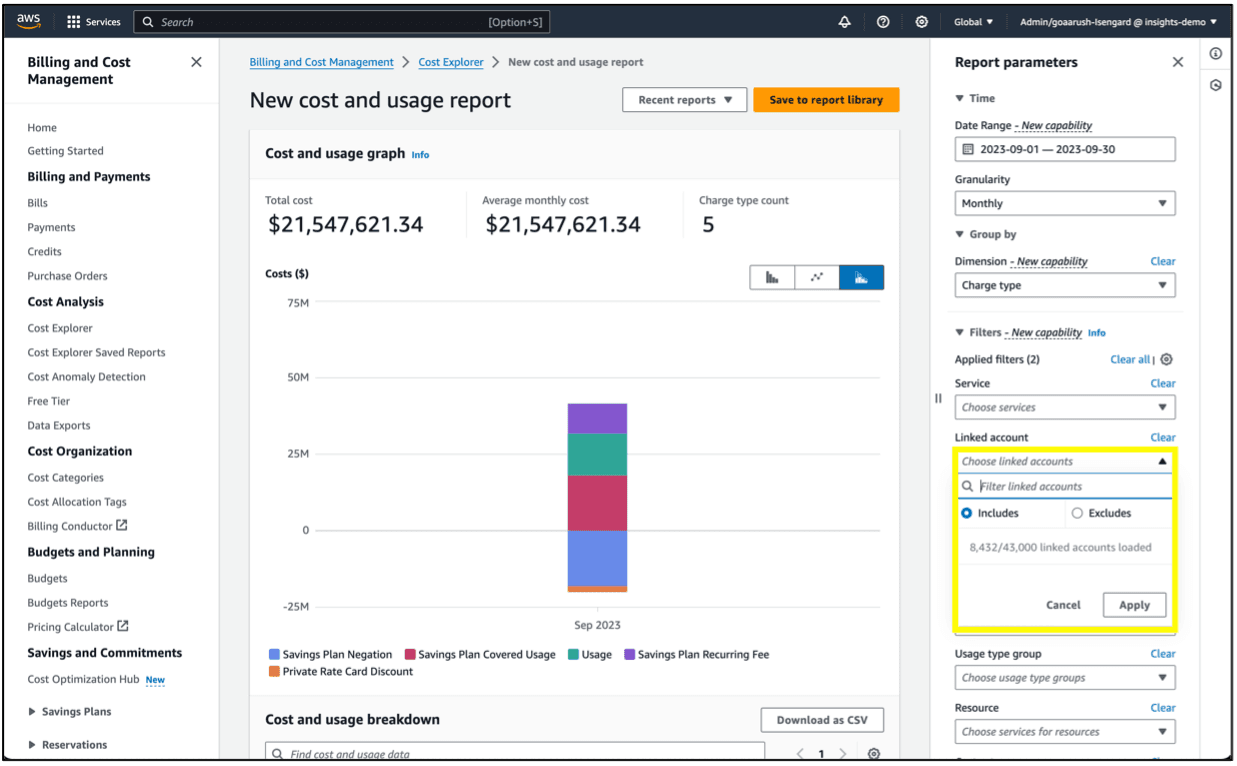
Drop-down menu loading time: Today, when a customer interacts with drop-downs for filtering or setting configuration, they are presented with a drop-down displaying a loading spinner indicating the system is processing this request. This interaction time is negligible (≤1 second) with up to 400 linked accounts. However, testing each filter option on the SDO account took on average 45 seconds to load, only providing the user with a loading spinner.
Recommendation: Per Jakob Nielsen 10 Usability Heuristics, the first general principle for Interaction Design specifies that “the design should always keep users informed of what is going on, through appropriate feedback within a reasonable amount of time.” This predictability fosters trust with users.To that effect, we recommend mitigating this trust-busting latency issues by introducing numerical loading states. This system feedback presented in a "loaded/total amount" countdown format will clearly communicate to users what the system’s state is as well as setting a sense of expectations.
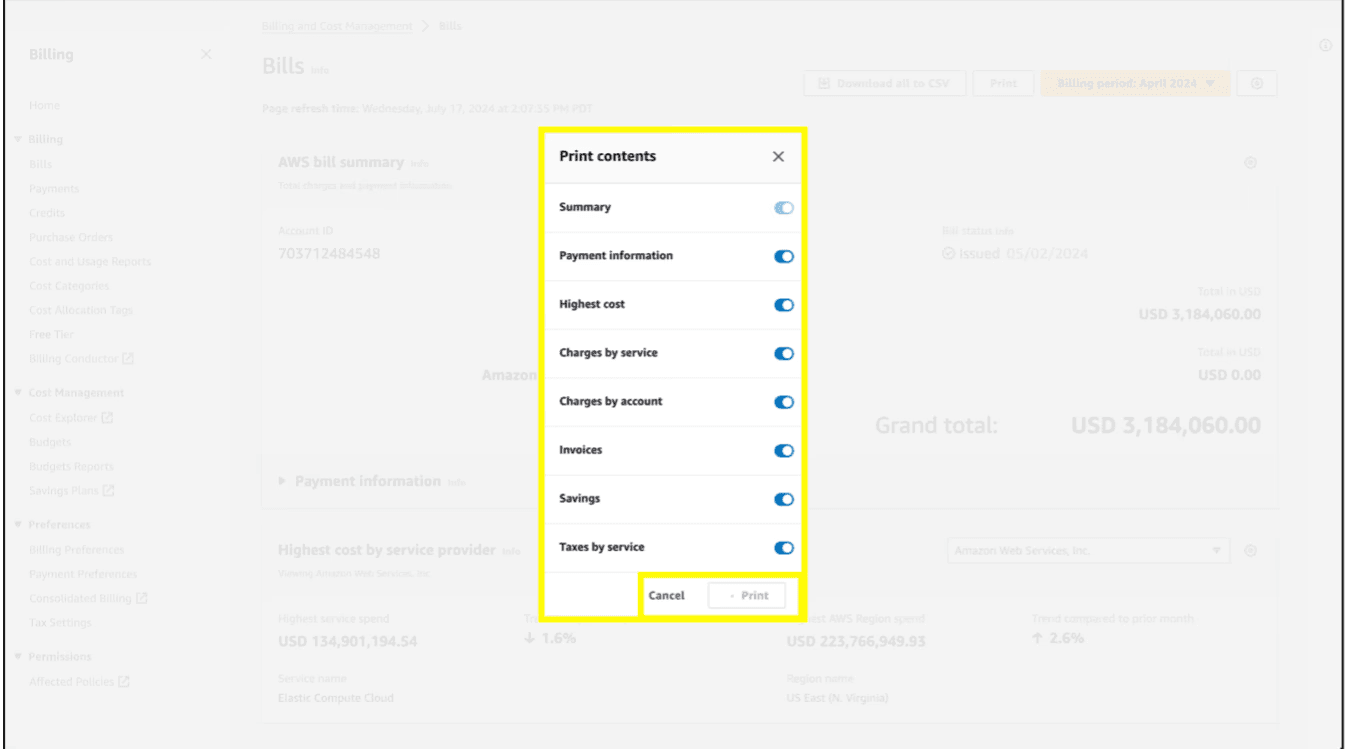
Visual feedback: When testing the Bills page with the SDO account, we observed that the “Download all to CSV”, “Print [bill report]” features, as well as the “Drill-Down” functionality (e.g. filtering charges by services and/or account) results in upwards of 90 seconds for data to load. Both CSV Download and Printing do not provide any meaningful visual feedback to customers only presenting them with a spinner with no sense of progress and/or completion time. In the instance of printing, a modal persists while generating the print file, making the Billing page inoperable until the print file is ready.
Recommendation: In scenarios where numerical load states are irrelevant and the customer awaits a system output, we recommend displaying progress bars instead of spinners to offer customers clear visual indicators of task completion progress and expected completion times.
Theme 2: Lack of meaningful messaging
The BCM console currently lacks meaningful alerts and messaging. This subpar CX becomes particularly egregious when tasks initiated by customers result in errors or extended processing times (e.g., when generating and downloading reports/files for printing).
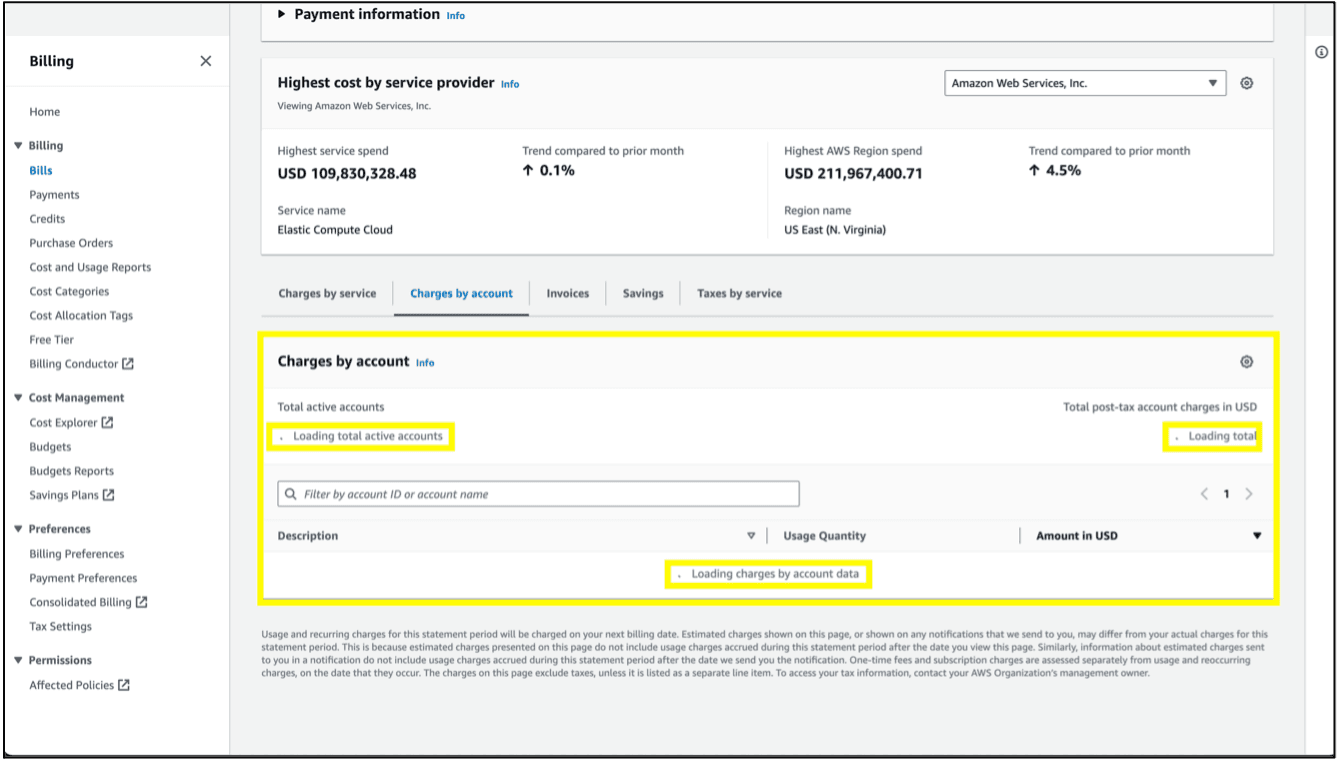
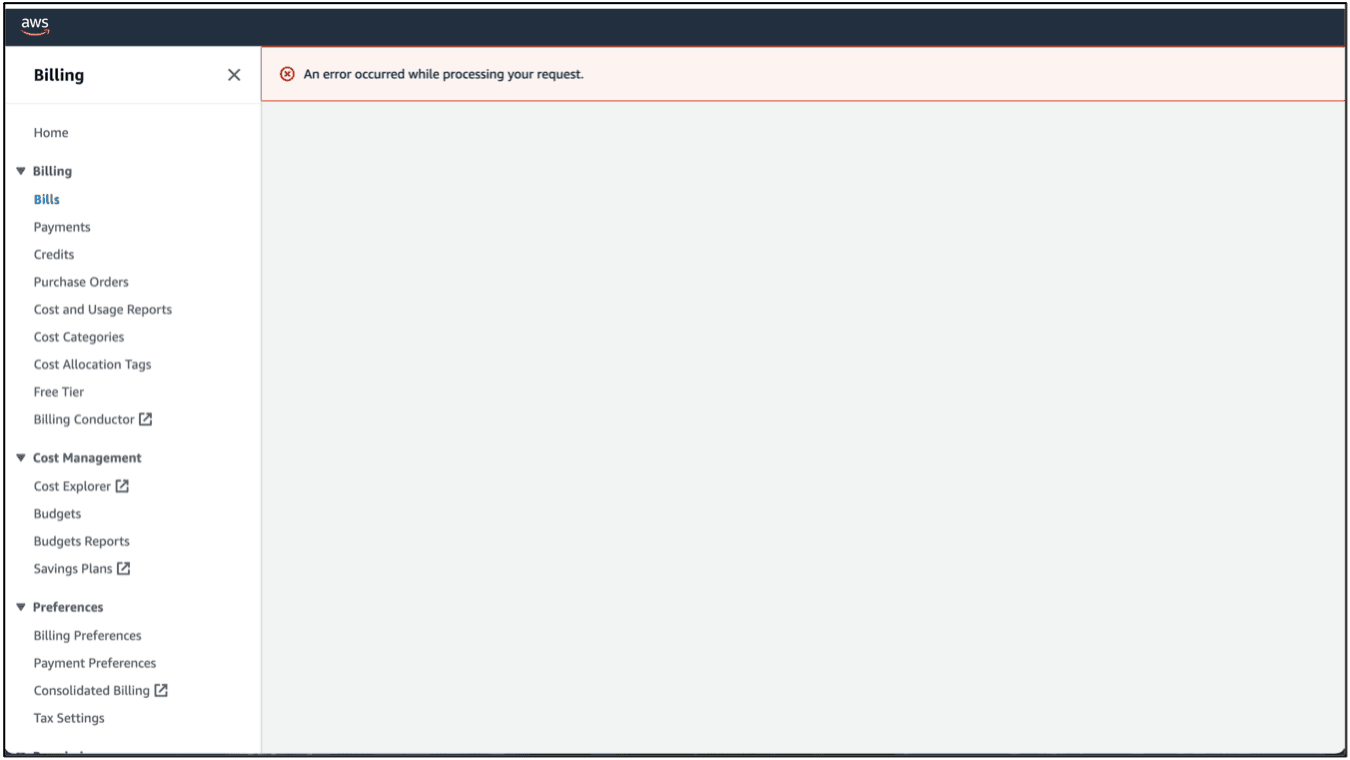
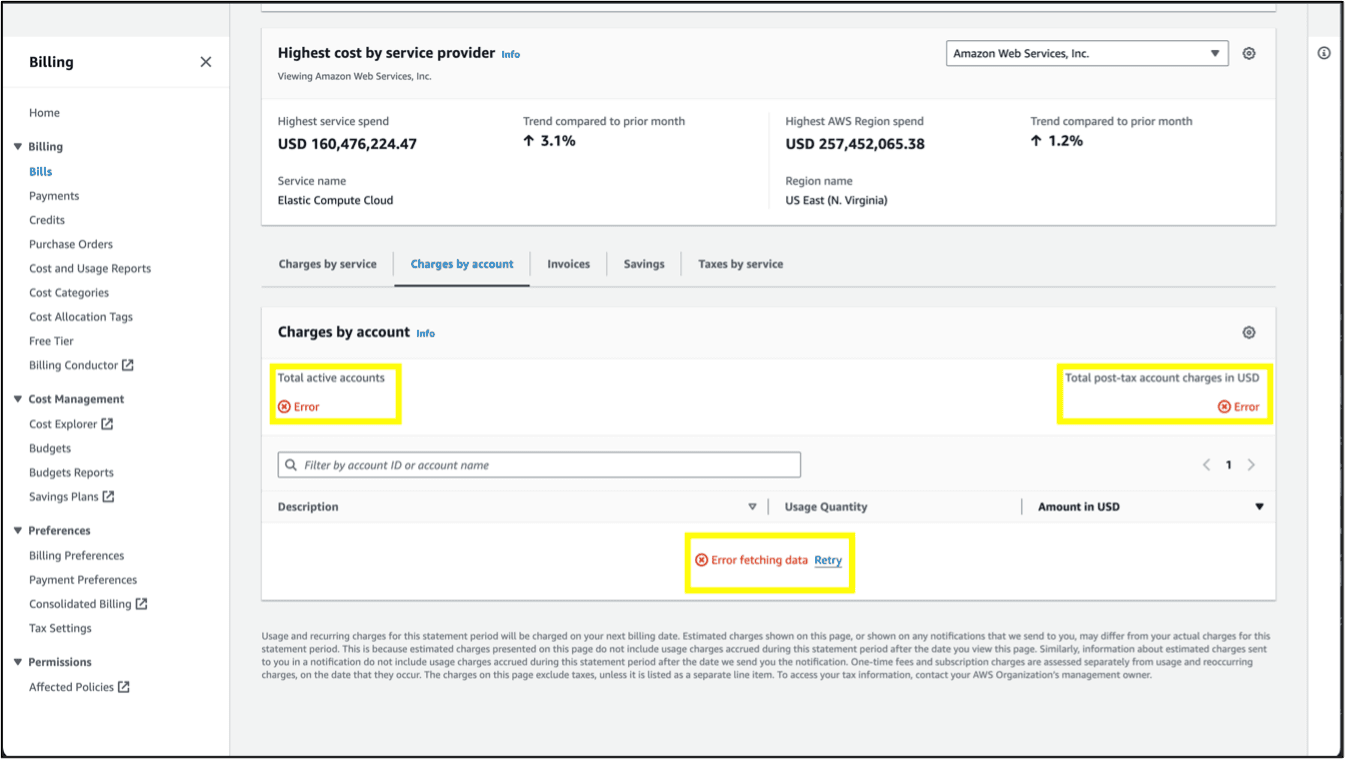
Errors: In Cost Explorer (CE), when testing with the SDO account, downloading a Cost and Usage Breakdown as a CSV file can take over 60 seconds to generate. It’s important to note that this action timed out in 4 out of 10 instances; when a time out error occurs, the customer is presented with a messaging offering no actionable insight and/or guidance to remediate. Similarly, when testing on the Bills page with the same SDO account, when loading “Charges by account,” the error messaging provides no insight as to what caused the error, only displaying the word “Error” with a link to reload (cf. Appendix A, Figure 7). Refer to Appendix C for an issue regarding to messaging that does not directly pertain to scaling.
Extended processing times – Downloading a CSV: When customers download a CSV, as discussed in Theme 1, they are presented with a spinner which can spin for up to 90 seconds compared to an almost instant download time in the CBF with 400 accounts offering no meaningful feedback on the task progress. This lack of detailed alerts and progress indicators leaves customers unsure if the system is functioning or an error has occurred.
Extended processing times – Printing: On the Bills page, when testing with the SDO account, requesting to print an AWS bill summary, a modal presenting the print settings pops up and upon clicking “Print”, the print button goes into a disabled loading state. While the system generates the print-ready file, the modal persists, blocking function of the Bills page. When testing the SDO account, the generated print report (308 pages) took over 2 minutes to load. When replicating the same task with the Isengard account, the print-ready file (18 pages) was almost instantaneously outputted. When testing the print operation cancel functionality, there was no response 5 out of 10 times; in the instances of failures, the BCM console provides no explanation other than a blanket error message.
Recommendation: Per the Nielsen's 10 Usability Heuristics, the ninth heuristic states “error messages should be expressed in plain language, precisely indicate the problem, and constructively suggest a solution.” To uphold these standards, we recommend implementing meaningful error messages following Cloudscape such that they clearly state the problem and provide actionable instructions on how to remediate. With regards to extended processing time challenges, we recommend augmenting the progress bar recommended in Theme 1 with a message to set expectation as to when the task is expected to be completed. For customers using a CBF at scale, an info alert banner should inform them of potential load latency and provide a concrete time-bound estimated time of completion in conjunction with the progress bar.
Theme 3: Inconsistent page load timeout
When testing certain tasks such as generating billing reports, creating a budget, and downloading large CSV files, we observed that, 4 out 10 times, these tasks failed and led to the whole page crashing and displaying an error message. It’s important to note that timeout crashes were inconsistent ranging between 1 to 2 minutes. These inconsistent loading timeouts across different pages of the BCM console further contribute to a sense of subpar CX.
Recommendations: Per the AWS Console latency goal, AWS Consoles should meet the latency goal of SpeedScore[1] less than 2.5seconds for TM99 and less than 5seconds for TM90:99. These latency targets should be our baseline for the BCM console as we optimize for 50K scaling.
[1] As part of 2023 AWS goal to drive latency improvement in AWS Consoles, AWS Console team created a new way to measure console latency using a new metric called SpeedScore. SpeedScore is a weighted metric which enables us to introduce additional metrics over time to better measure the experienced latency. The definition and the target value may change year over year, taking into account industry standards, additional metrics, new technologies or changes in AWS Console architecture.
The audit of the BCM console when supporting 50K scaling highlights trustbusting issues which compound on each other over time, giving the impression of a system behaving erratically. These challenges risks resulting in frustration for customers as well as a negative brand perception of the BCM console in particular and AWS in general.
As immediate short-term mitigation, we proposed and got approval for implementation for the following issues in the order of criticality: (1) implementing meaningful error messaging; (2) addressing loading state latency, and (3) inconsistent load time-outs across the console.
After further discussions with engineering partners, some issues may be implemented toward the end of 2025 due to bandwidth issues. I also proposed stop gap solutions that have a lower lift that may be done in a single spring that can go live by the end of 2024. These are currently in development. All the findings from the audit will be implemented to ensure console performance by the end of 2025.