GenAI-Powered Transparency for Cloud Cost Predictions
AWS Cost Explorer: Explainable Forecasts
Overview
AWS Cost Explorer's machine learning forecasts previously operated as a "black box" where customers couldn't understand how their cloud cost projections were calculated. I worked with a cross-functional team to design a GenAI-powered explainability feature that makes these forecasts transparent and understandable, launching at AWS re:Invent 2025.
The impact of this launch: 75% reduction in manual forecasting effort (from 15-20 hours to 3-5 hours monthly) and extended forecast horizon from 12 to 18 months.
The problem
AWS customers struggled with opaque machine learning forecasts that made it difficult to:
Understand how cost projections were calculated
Build confidence in the numbers
Justify forecasts to stakeholders and leadership
Plan budgets effectively for long-term cloud spending
What we had to do: Design an explainability feature that makes sophisticated ML models understandable while maintaining the technical accuracy customers need for financial planning.
Design Process
This phase became the heart of the project where I worked through the fundamental challenge of providing customers with an explanation about why their forecast looks the way it does. I had about 8 iterations of designs through out this leading up to the re:Invent launch in November 2025, to keep this interesting I will show you 3 iterations and the final design!
Iteration 1: Amazon Q integration
I initially started with Amazon Q integration. This seemed like a quick solution to the design problem, enabling customers to simply ask Q why their forecast looks the way it does, and it would produce an explanation.
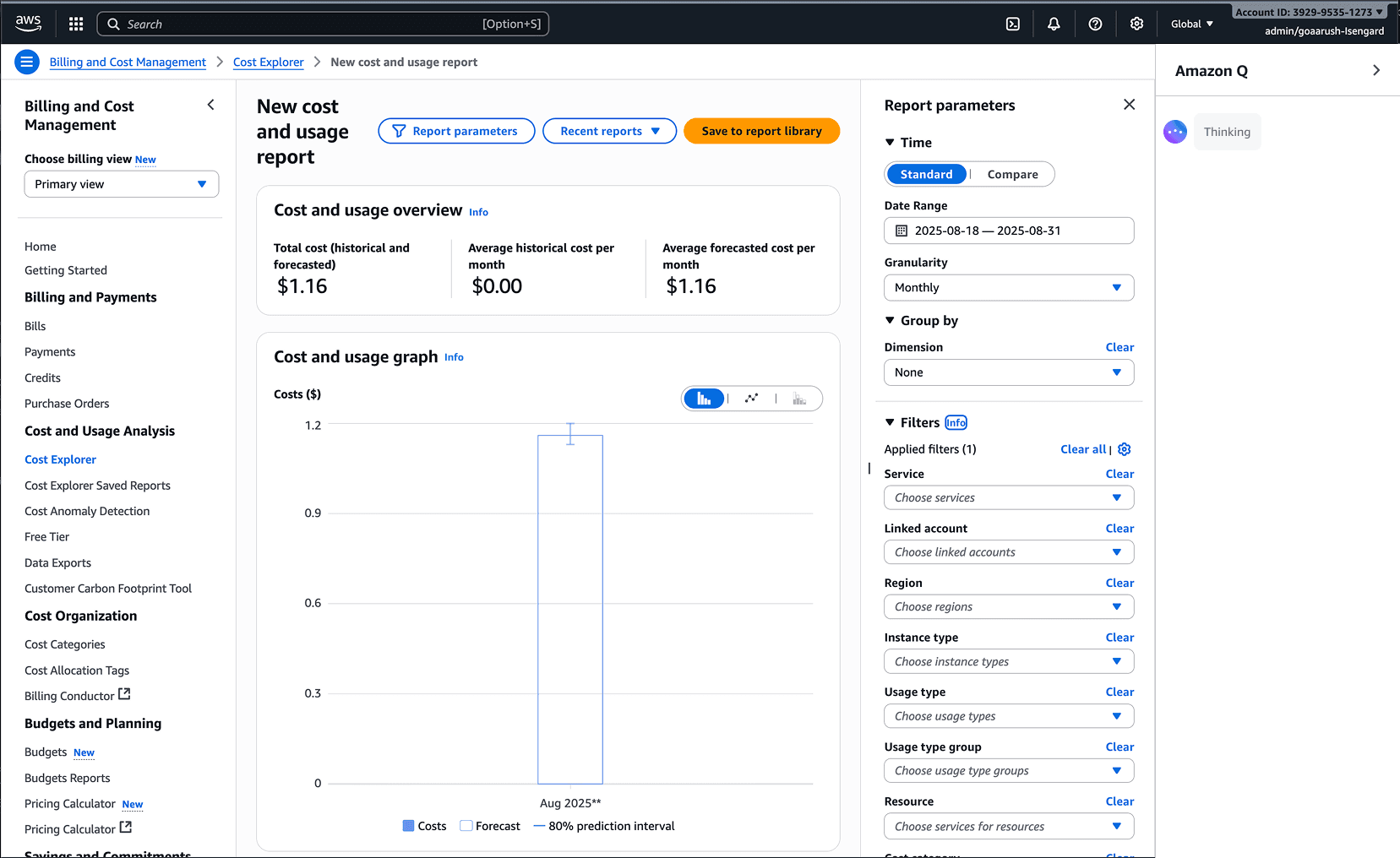
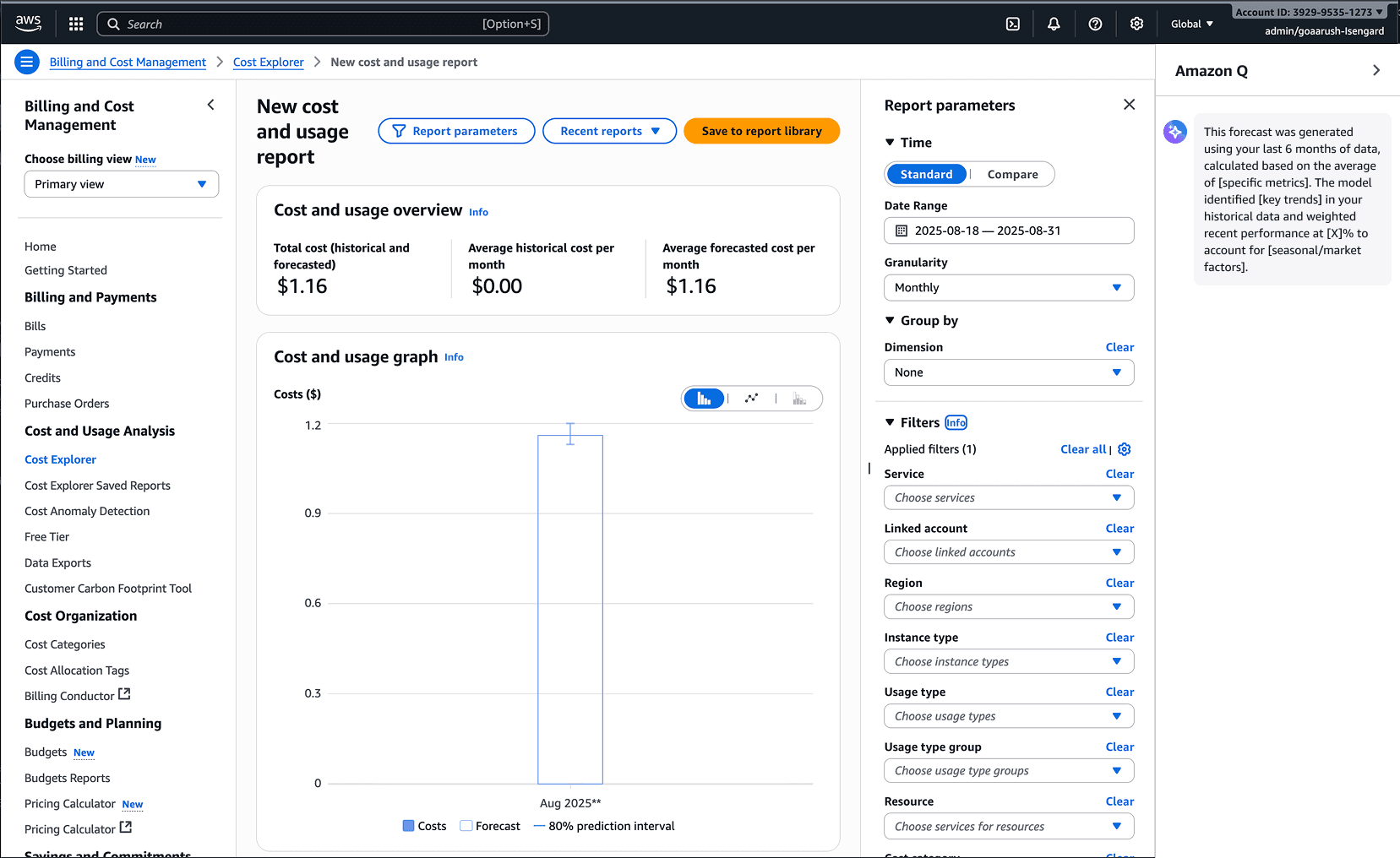
While this design made sense on the surface, upon further inspection, a catch-all chatbot approach didn't align with the core use case. The scope was too wide. Forecast explainability should focus on just that, explainability, rather than providing an opportunity to chat about anything with Q. At the end of the day, this feature needed to help customers gain insights quickly. The solution should take away any extra mental arithmetic about how to craft a prompt to get the right output and just provide the primary output: an explanation.
Iteration 2: Predefined Chat Options
This realization led me to explore a middle ground, still integrating Q, but with a set of predefined chat options for customers to click on. This approach would ensure a targeted outcome rather than open-ended conversation.
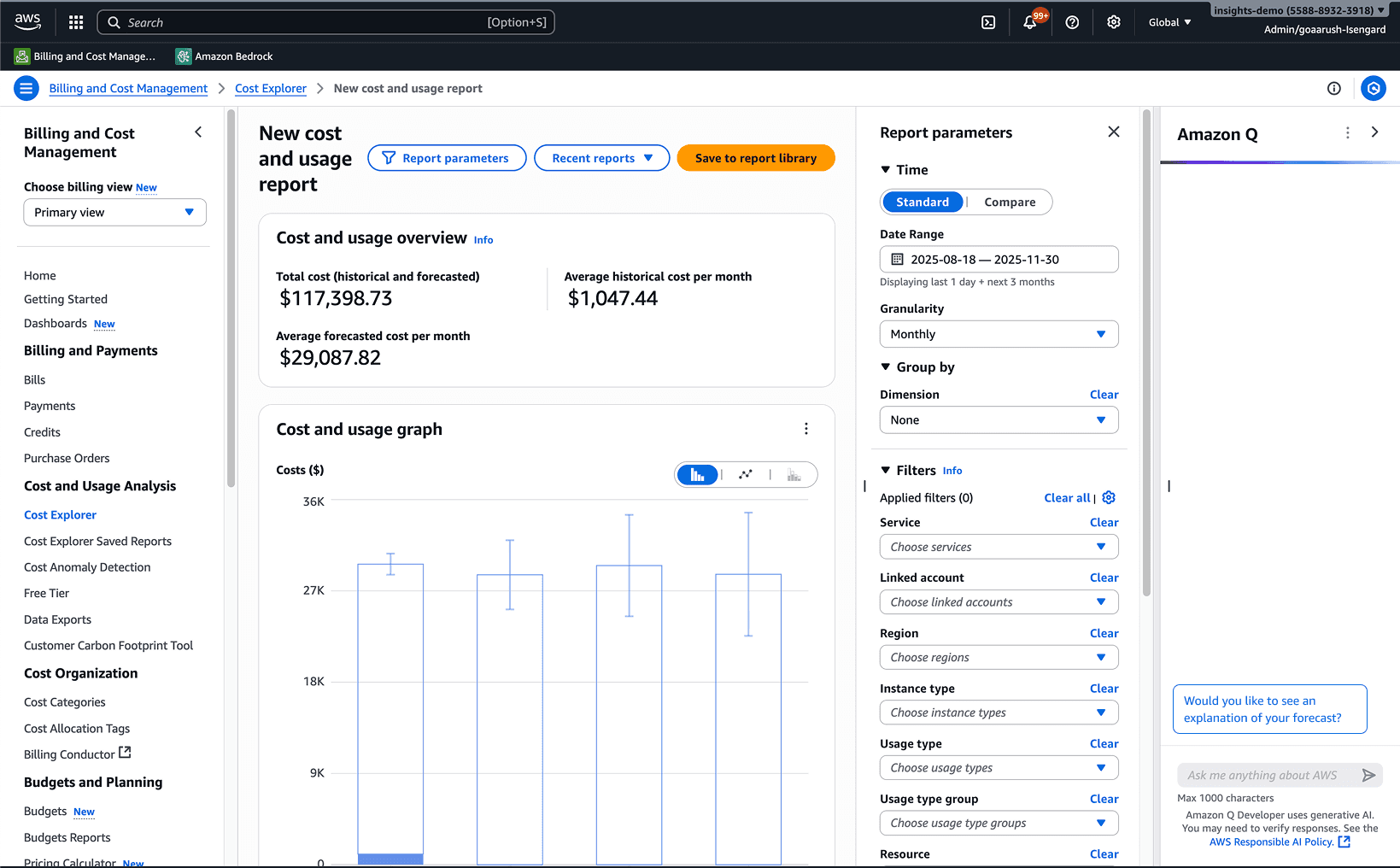
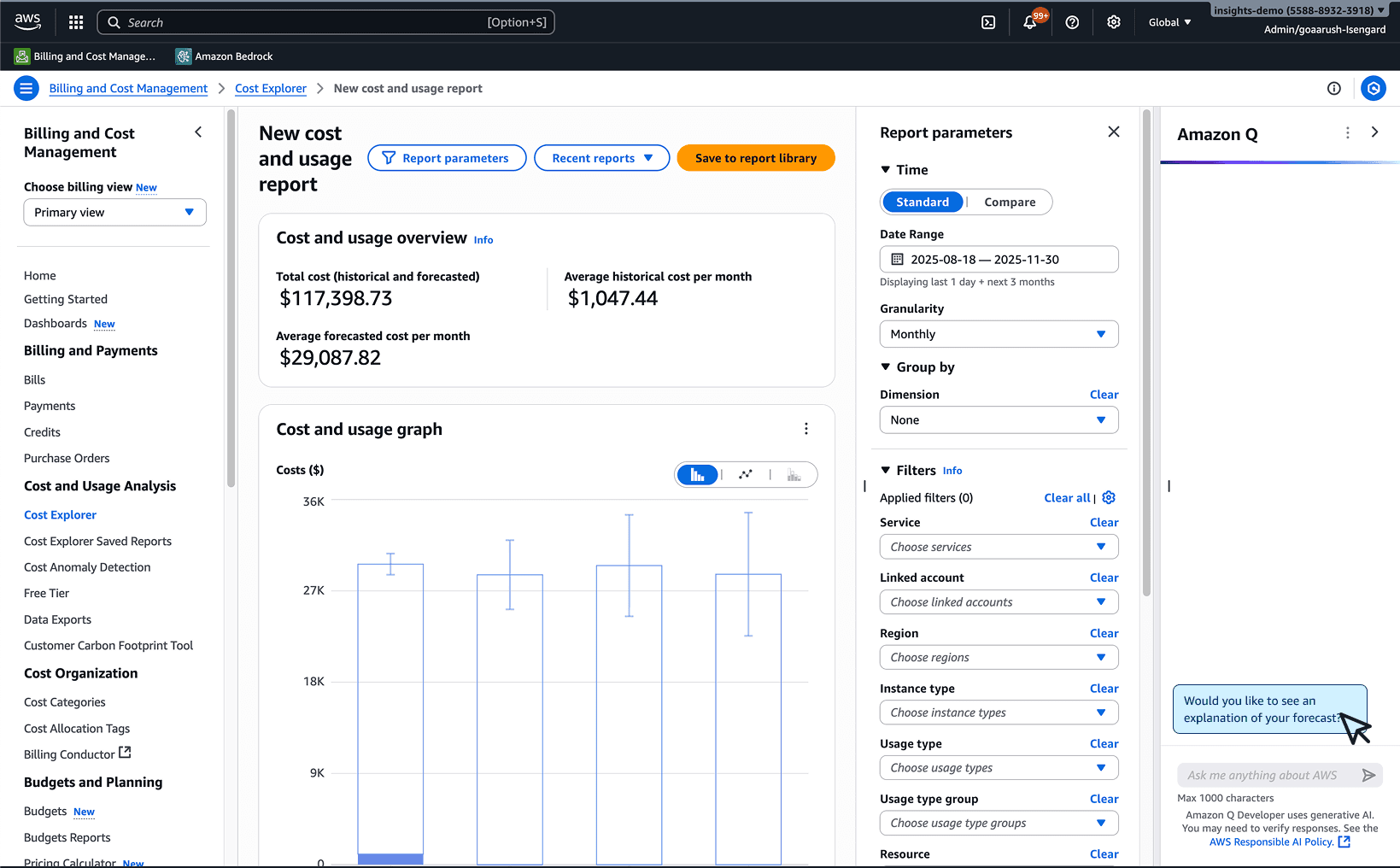
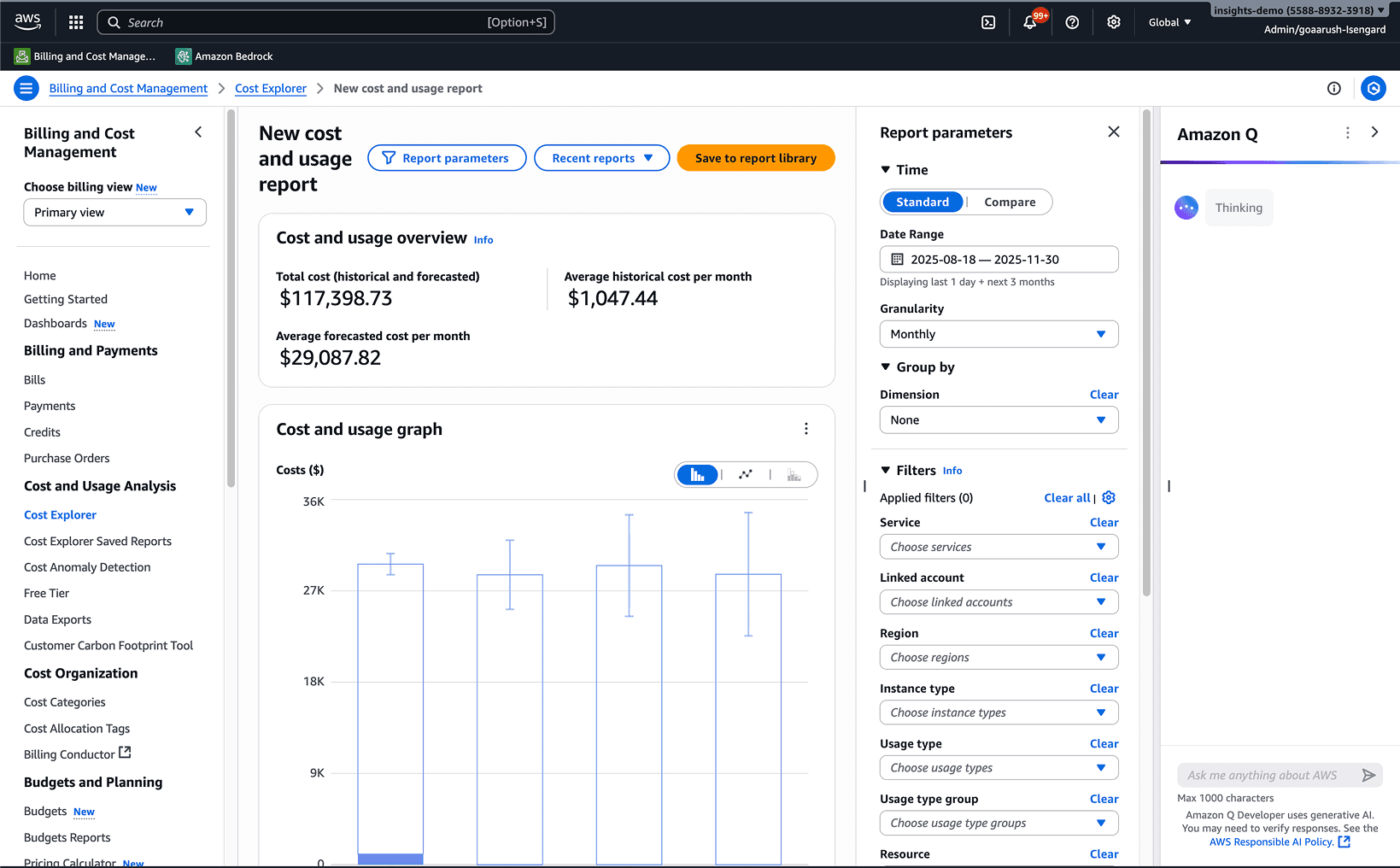
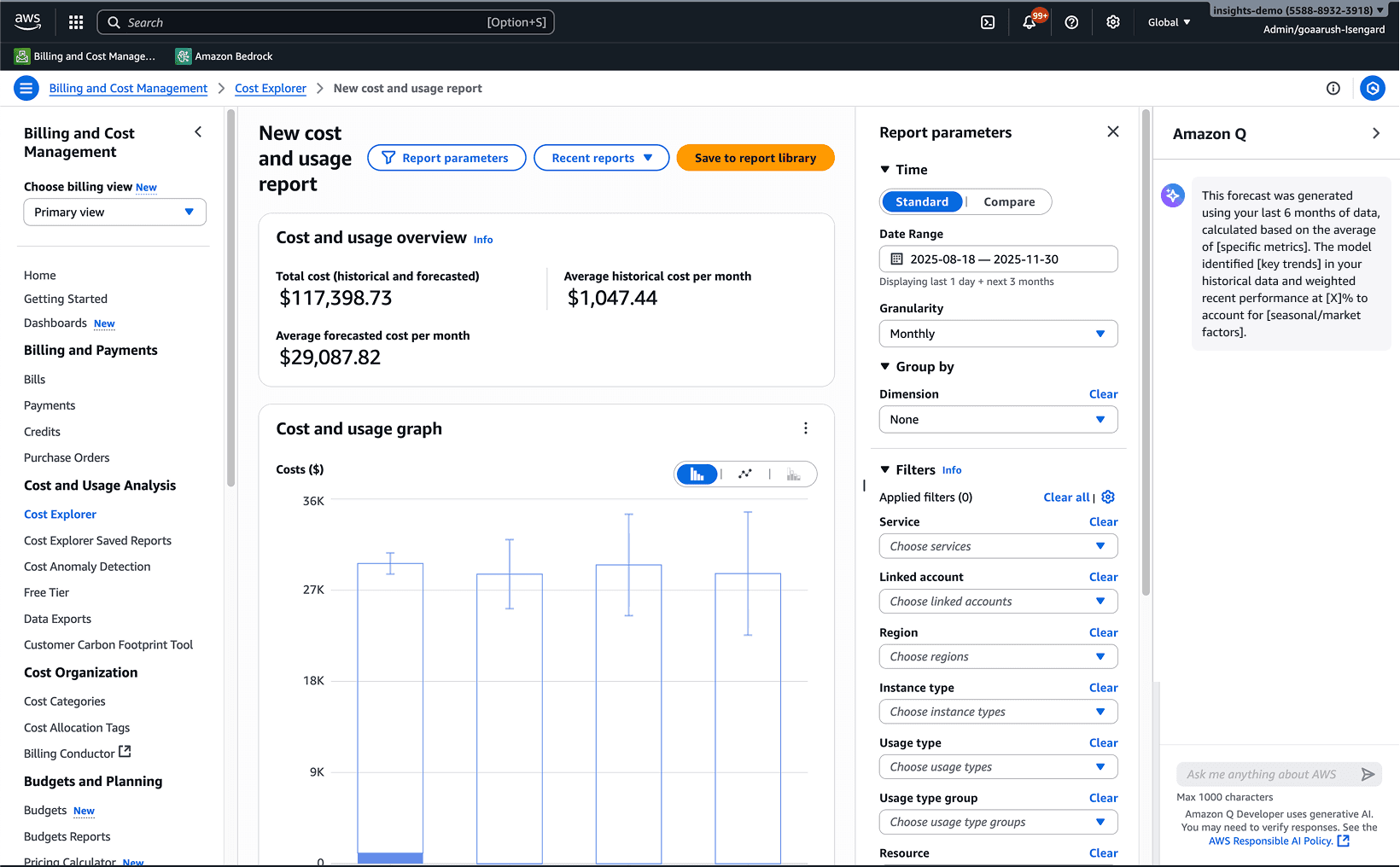
While this seemed to close the gap with targeted AI use, a new constraint emerged: engineering feasibility. Since this feature was roadmapped later in the development cycle, Q integration would cause a delay in the launch timeline because of the rigorous code reviews the dev team needed to perform. I had to think about different design solutions that could ship on time.
Iteration 3: Progressive Disclosure with Popovers
After spending some time at the drawing board and doing some research, I came across the concept of progressive disclosure: a principle that reveals information or features gradually, showing only essential details first and hiding advanced options until needed.
The next solution I pursued was a popover experience. As you can see below, after the customer configures their forecast, when they hover their mouse on a specific month's forecast, a popover would present itself with the explanation right there. They'd have the option of clicking "View more" if they wanted deeper insights, aligning with the progressive disclosure model.
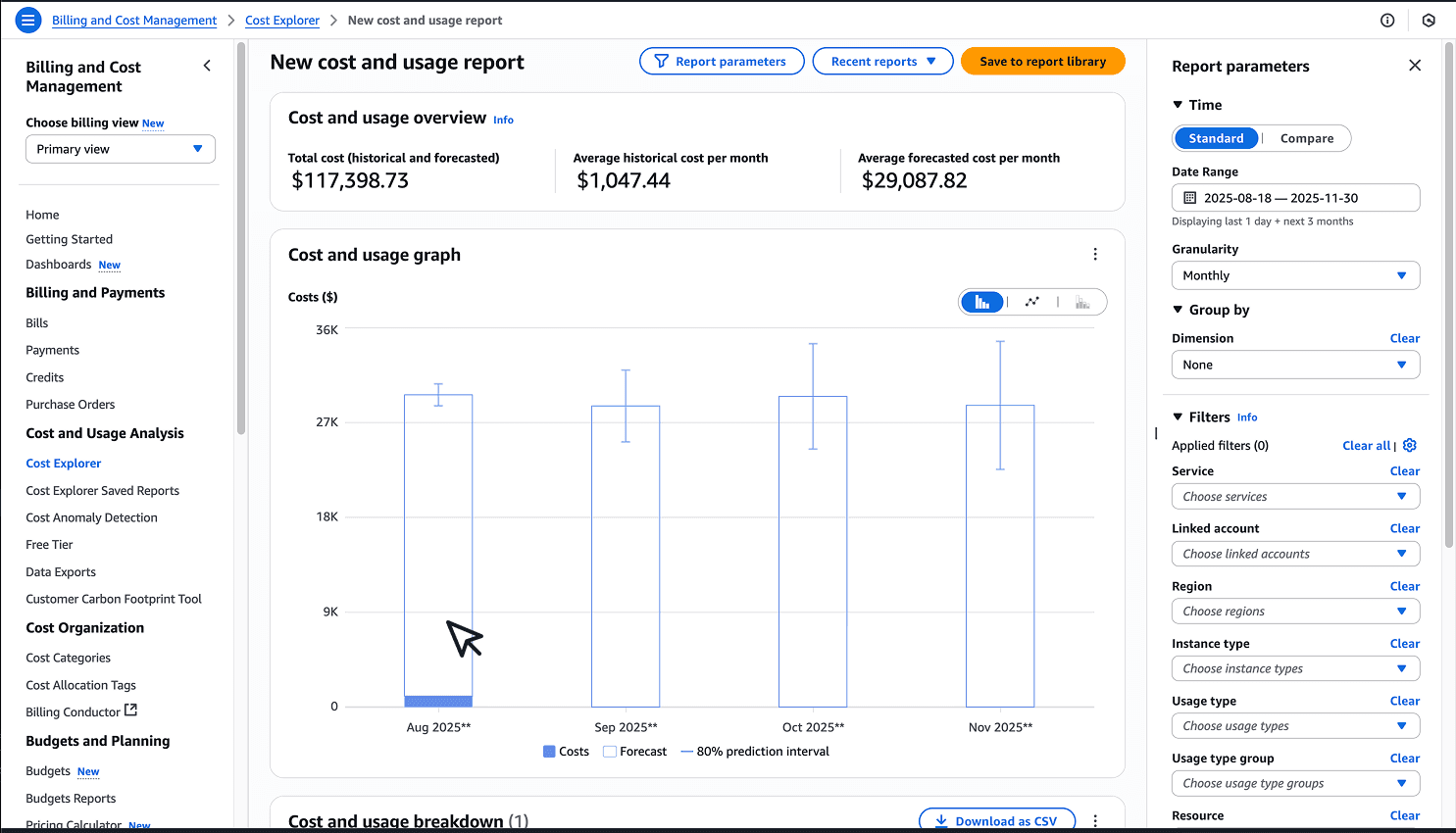
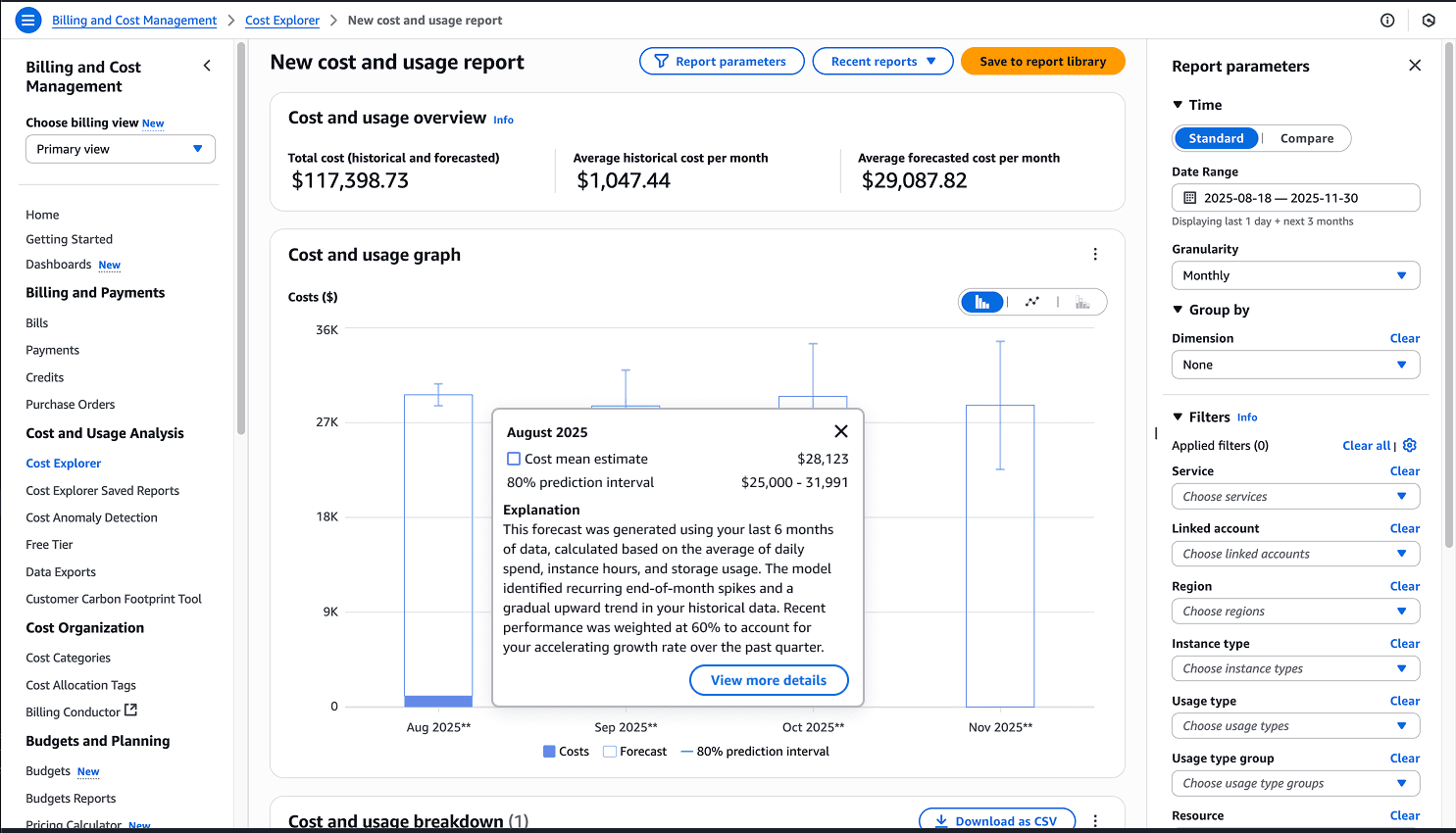
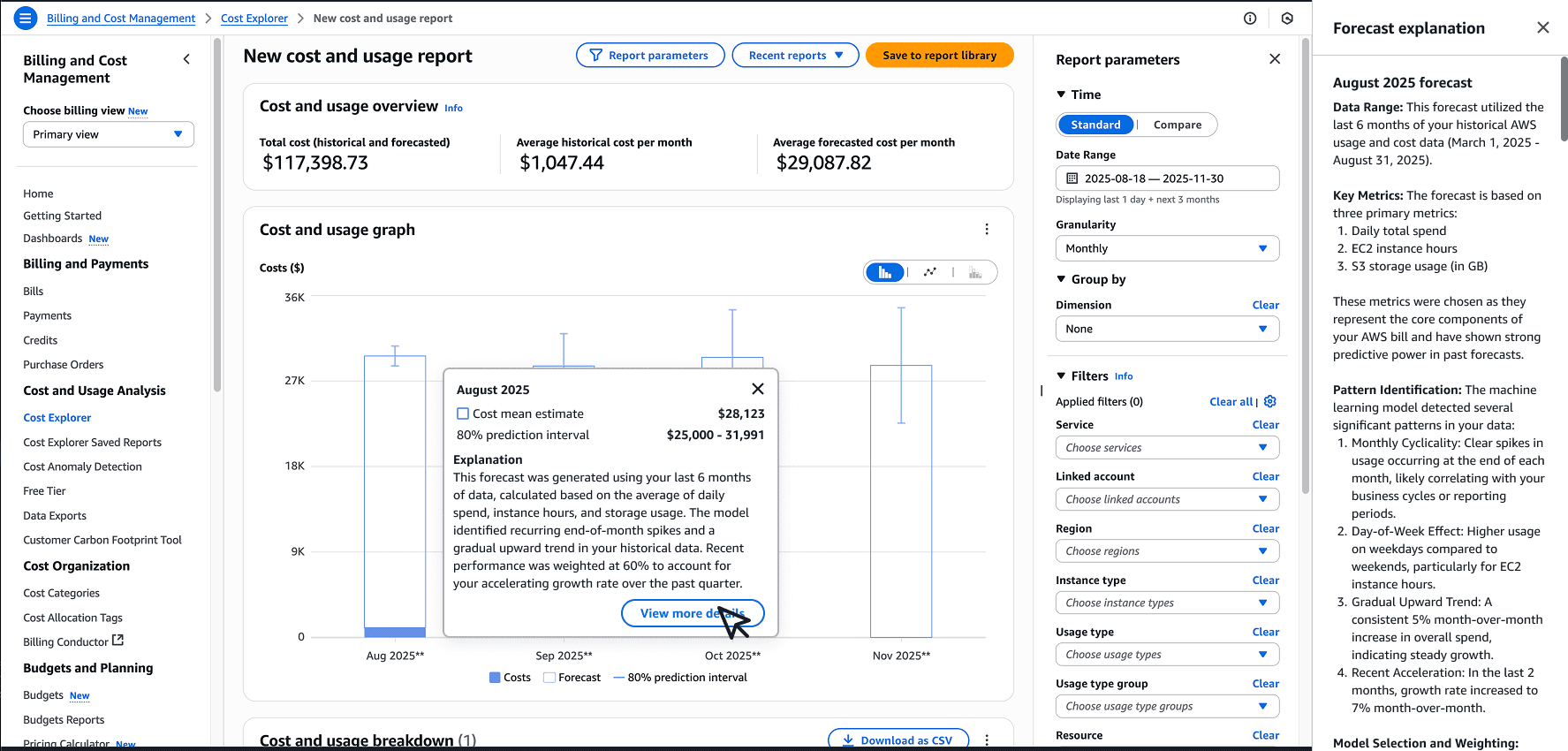
I liked this design solution and so did the team; however, during a design sync, an engineer brought up a critical point about latency that would invalidate this whole approach. There's latency for the model to create an explanation, upwards of 20 seconds, so we couldn't have a solution with a popover showing a loading screen for 20 seconds. This simply wasn't a good user experience. Back to the drawing board I go.
The Final Solution
After more iterations, I took a step back and thought about how to make the entry point to this new feature easy and intuitive.
"How about a button that simply says 'Generate forecast explanation'?"
This was the lightbulb moment.
I took to Figma to see if this will be the one to close it all out. This was such a simple and elegant solution. Instead of hiding the feature or making customers hunt for it, we'd put it front and center. The button would appear after customers configure their forecast, making the feature discoverable exactly when they need it. When clicked, it would generate the explanation with clear progress indicators to manage the 20-second wait time.
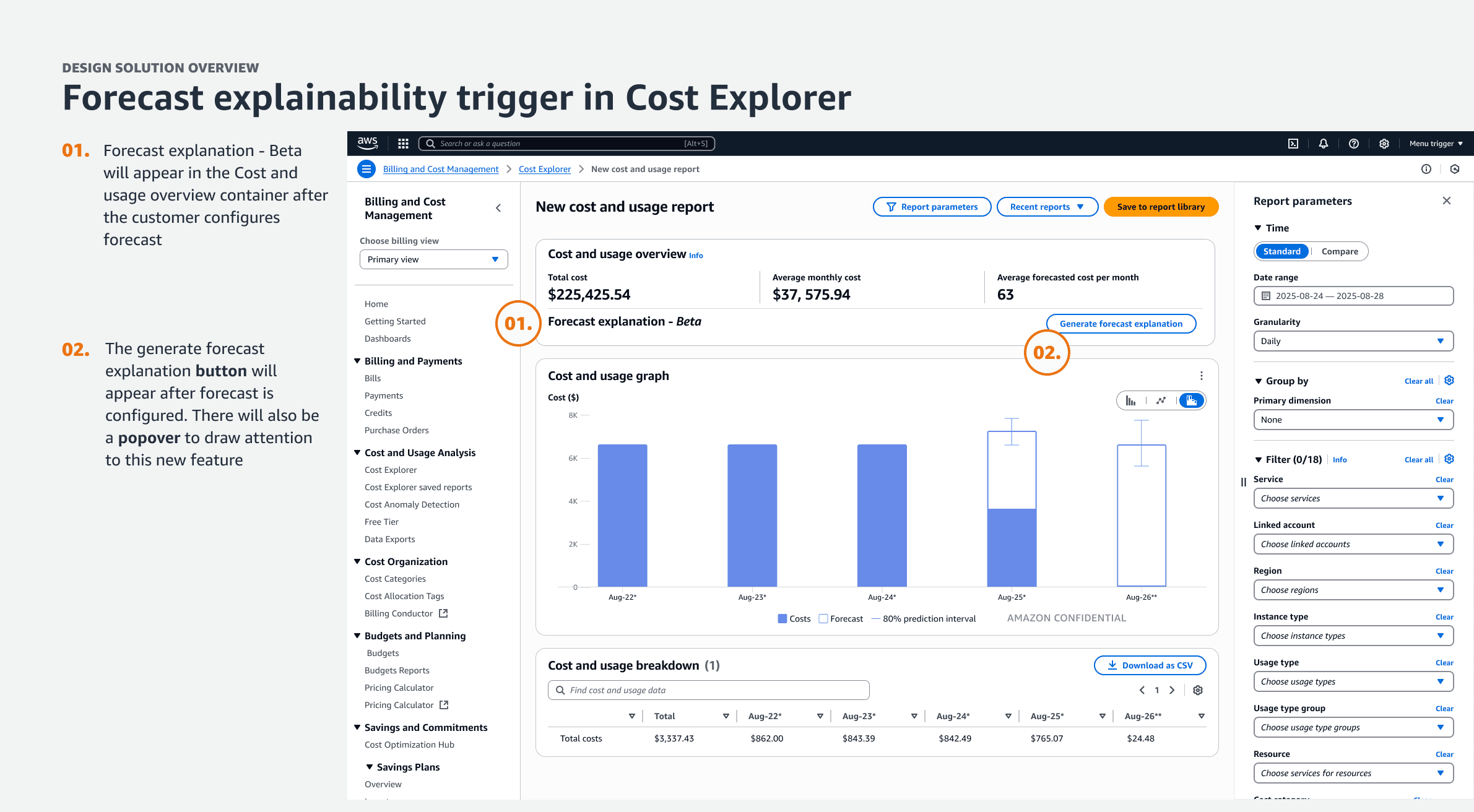
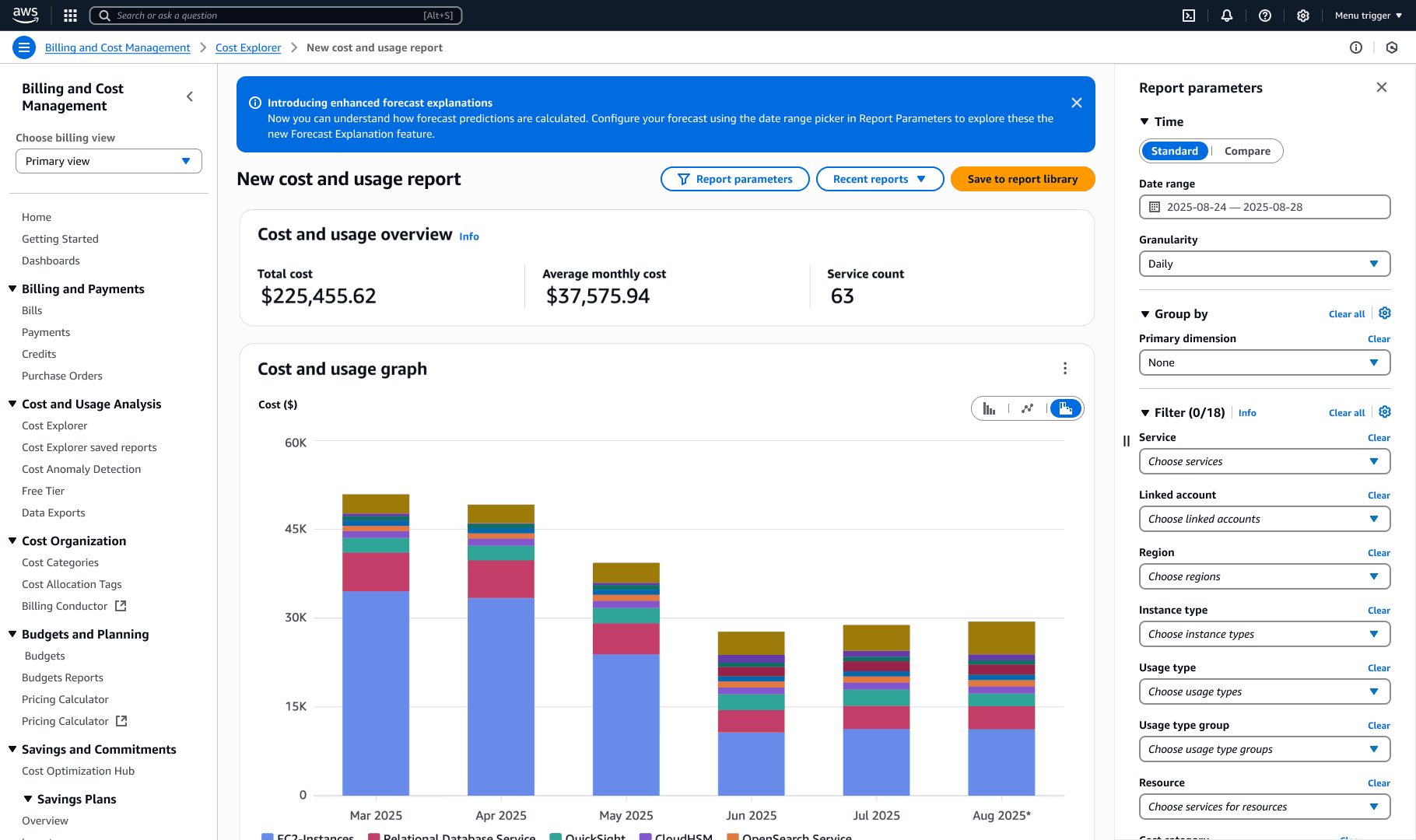
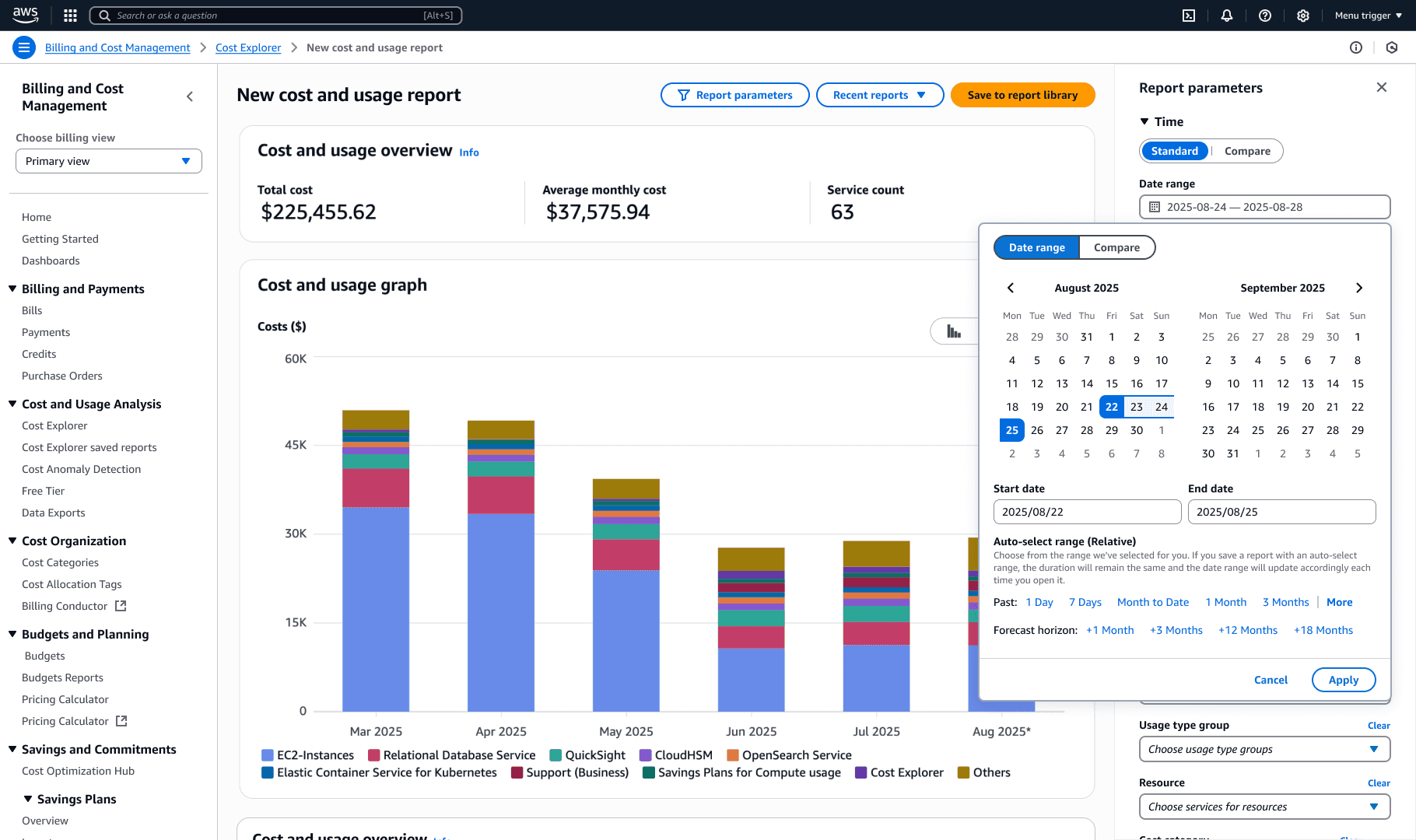
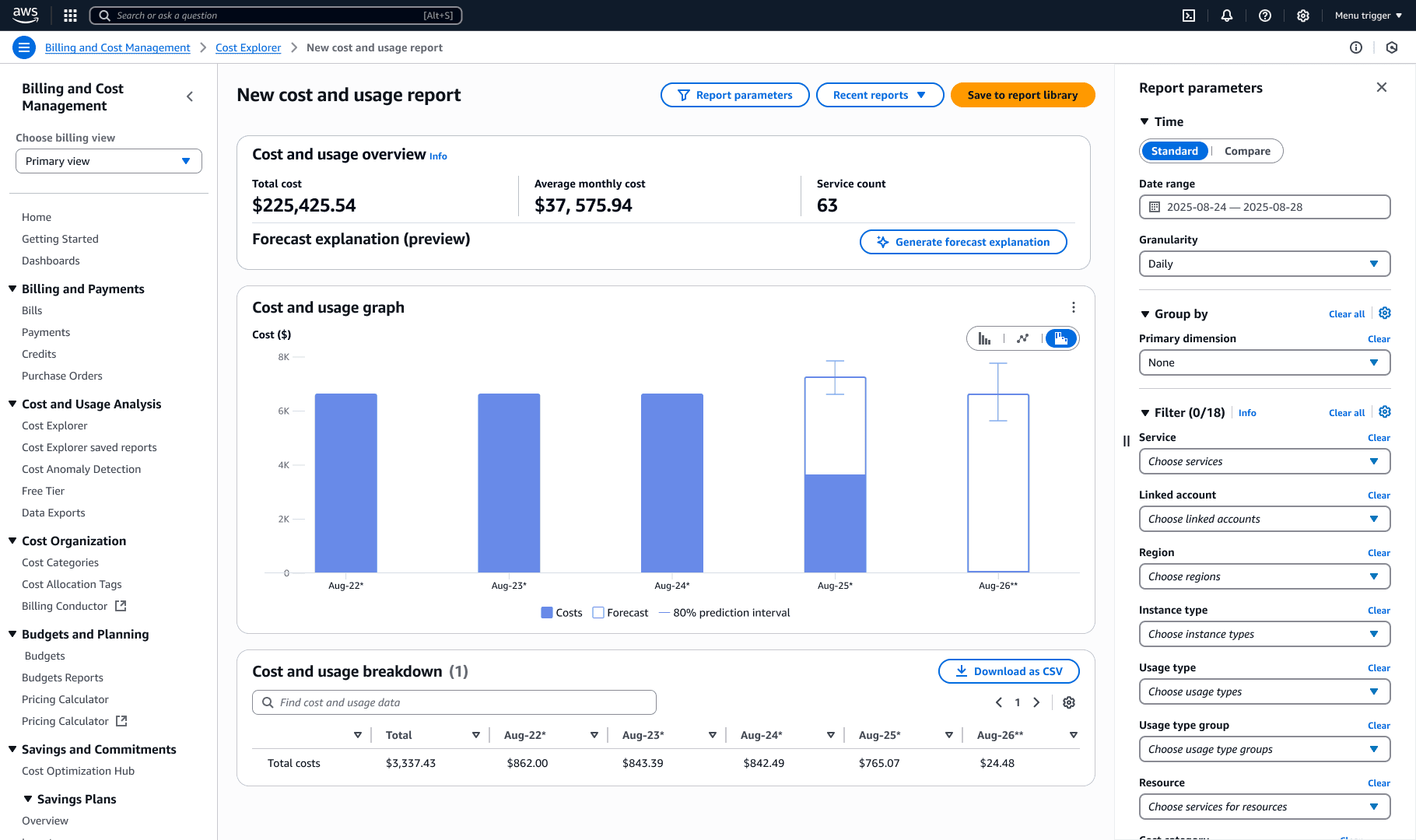
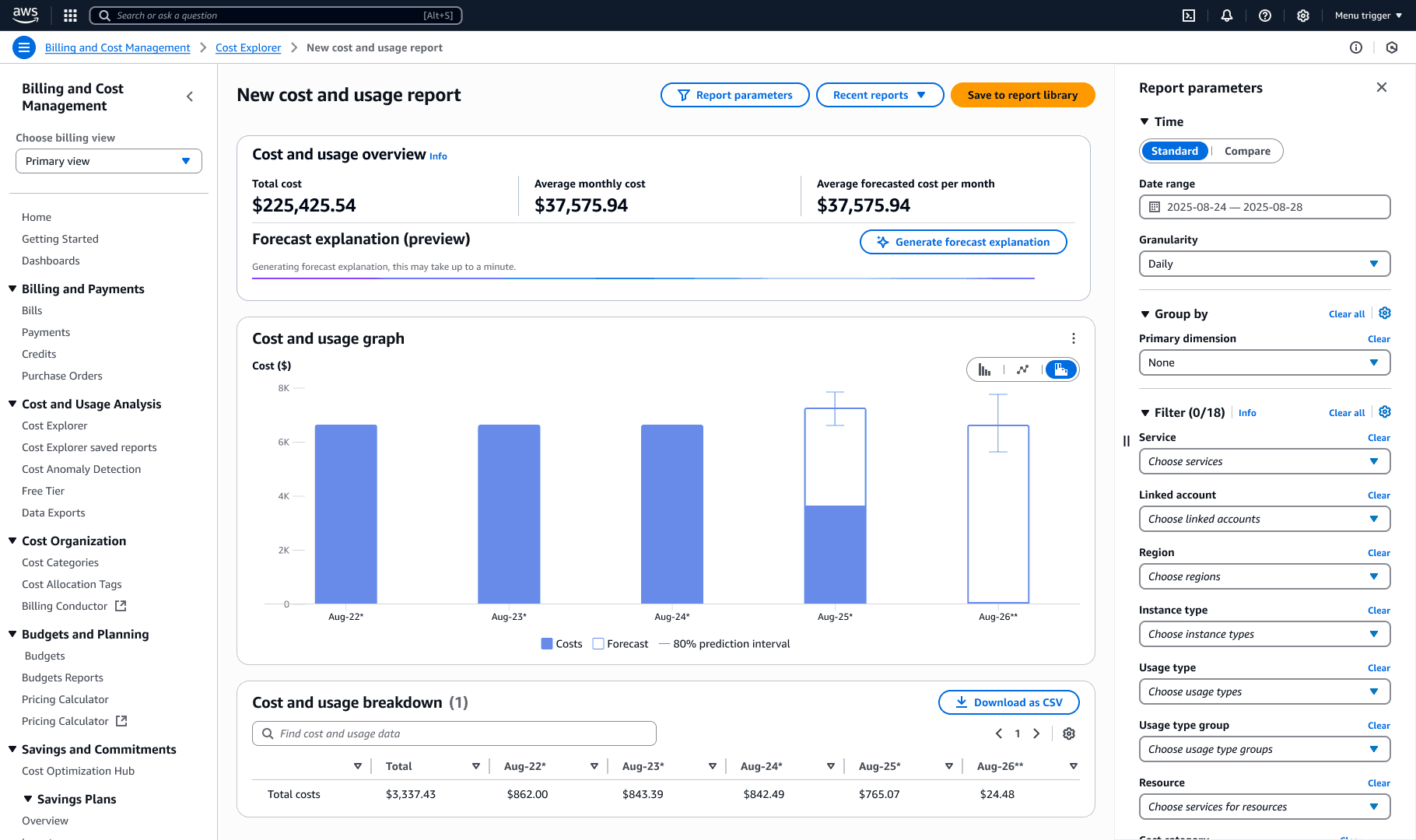
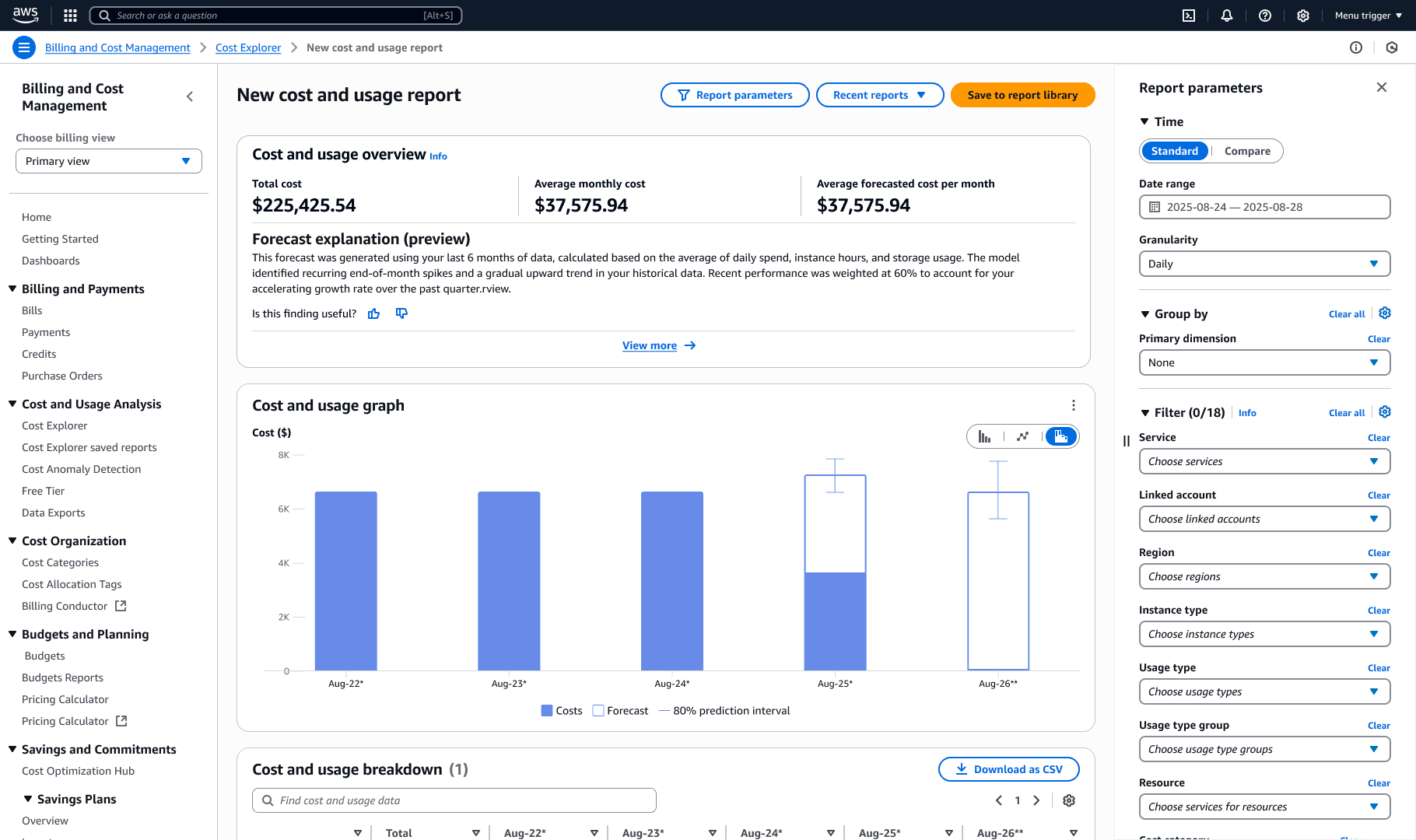
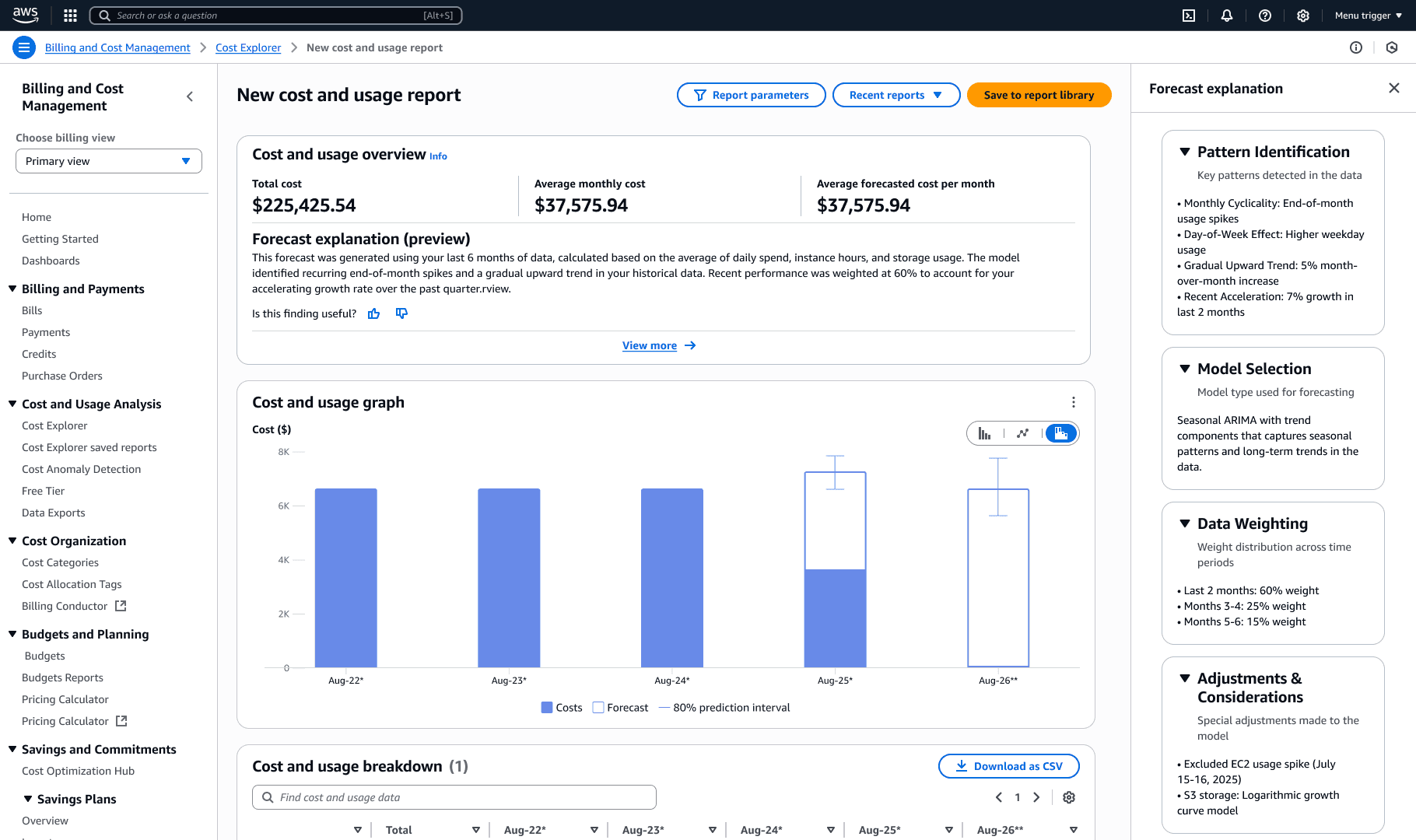
This approach solved multiple problems at once:
No Q integration complexity which led to faster development timeline
Clear entry point for better discoverability
Managed expectations by providing progress indicators handle the latency gracefully
Progressive disclosure as a core – "View more" option for deeper insights (planned for 2026)
Scalable architecture designed to support future conversational features
Results and Impact
We sucessfully launched in November 2025 for re:Invent!
Customer Impact
75% reduction in manual forecasting effort (15-20 hours → 3-5 hours monthly)
Extended forecast horizon from 12 to 18 months for better long-term planning
Improved trust and confidence through transparent AI explanations
Business Value
First GenAI implementation in AWS Cost Management
Established reusable framework for AI transparency across AWS financial tools
Created new design patterns for explainable AI in enterprise contexts
Supports AWS's strategic push toward responsible and explainable AI
Innovation
Pioneered AI explainability patterns for financial forecasting
Designed scalable system architecture for future conversational enhancements
Set precedent for transparent ML experiences across AWS services
Collaborations, reflects, optimizations
To conclude, I want to share a bit about my work and collaboration process.
Throughout these iterations, I maintained weekly design syncs to gather feedback and refine solutions and brainstorm. I worked closely with:
The front-end engineering team to explore component options that balanced implementation timeline with user experience
Another UX designer to draw inspiration from other design launches across the BCM console
The applied science team to understand what information customers truly needed to build trust in the forecasts
I also designed an internal feedback form integration to systematically collect customer input on explanation clarity, feature usability, and improvement suggestions, critical for informing future iterations as I work to refine forecasting explainability in 2026 and beyond.
Get in touch! aarushg@gmail.com